OpenRouter
One API key can route to many hosted models. It is the simplest path for teachers who want strong cloud models without wiring every provider separately.
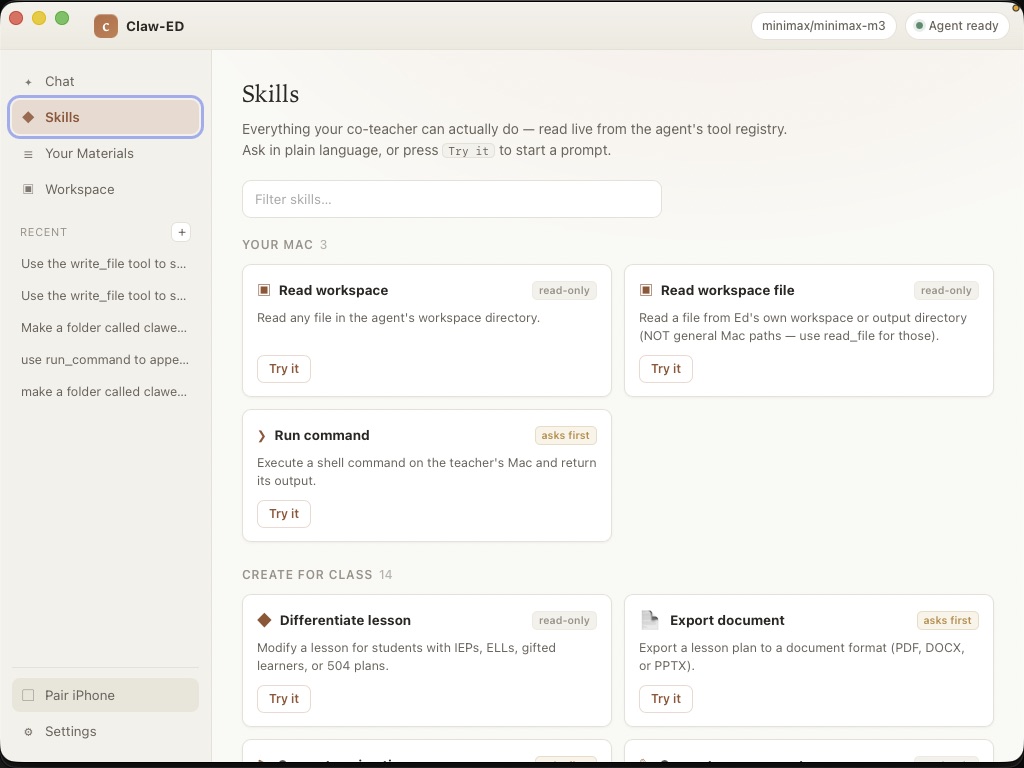
Create an OpenRouter keyIt runs a teacher-focused agent on your Mac, gives it a controlled set of tools, and ships with prebuilt skills for the work teachers actually need done: planning, grading support, local file organization, differentiation, review materials, and curriculum search.
Apple-notarized · macOS 11+ (Apple Silicon) · no terminal, no Python. Open it, connect a free local model or your own API key, and you're teaching.
What a harness means
Claw-ED is not just a lesson generator. It is the local runtime around an agent: workspace access, model configuration, skill loading, tool-risk labels, approvals, file outputs, and teacher-facing UI.
The agent can read approved workspace context, call a model provider, decide which skill or tool to use, ask before higher-risk actions, and write artifacts back to the Mac. Lesson bundles are one skill. The bigger idea is a teacher assistant that can loop through real work.
Choose your model
Claw-ED does not sell model credits. You connect the model account you already approve.
One API key can route to many hosted models. It is the simplest path for teachers who want strong cloud models without wiring every provider separately.
Create an OpenRouter keyInstall Ollama on the Mac and run a local model. This keeps model calls on the machine, but it requires more technical comfort and enough Mac hardware.
Download Ollama for MacAnthropic, OpenAI, Google, Ollama Cloud, and other cloud providers can be used when a district already has an approved account or data agreement.
Read Ollama API docsSetup
The in-app setup screen walks through this, and the CLI commands are direct for IT teams.
clawed config set-key openrouter YOUR_OPENROUTER_KEY
clawed config set-model openrouter --model minimax/minimax-m3ollama pull llama3.2
clawed config set-model ollama --model llama3.2
Keys are saved on the Mac. Claw-ED tries the operating-system keychain
first, then falls back to a local secrets file under ~/.eduagent/
if the keychain is unavailable.
Skills and permissions
Trust boundary
Claw-ED itself runs locally on the Mac. The Mac app talks to a local sidecar over loopback, and files are read or written on the Mac unless the teacher approves another action.
If you configure OpenRouter, Ollama Cloud, Anthropic, OpenAI, Google, or another hosted model, Claw-ED sends the prompt and relevant context to that cloud service. With OpenRouter, requests may also be processed by the downstream model provider selected by OpenRouter or your routing settings. Those provider terms, retention policies, and district agreements matter.
If your priority is keeping model requests off cloud services, run a local Ollama model on the Mac instead. That is the most private path, but it is more technical and model quality depends on the hardware and model you choose.
For schools and districts
Claw-ED is free and open source because the value is in giving educators a capable, inspectable local harness instead of another locked SaaS box.
Next skill direction
/goalGive the agent a concrete educator outcome, a workspace, and success criteria: "build tomorrow's Global 9 lesson packet" or "turn this unit folder into review week materials."
/loopLet the agent work in controlled cycles: plan, act, check the result, ask for approval when needed, and stop when the goal or budget is met.
Claw-ED is the local harness: open source code, your model provider, your files, your approval decisions. The Mac app is Apple-notarized and free — download it and connect your AI right in the window.